
Features
Discord Rich Presence
Show what you are listening to in Discord
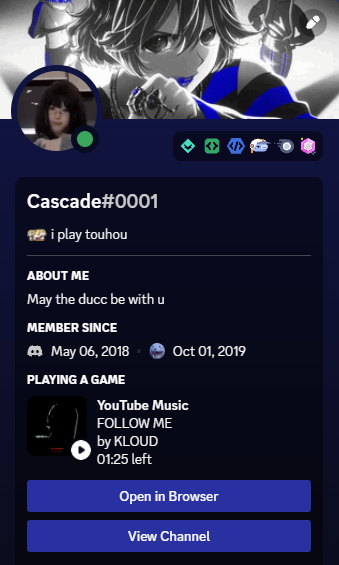
Discord Rich Presence displays the current track title and artist in your Discord status while YTMDesktop2 is playing.
Setup
- Open Settings → Discord.
- Enable Rich Presence.
- Start playback — Discord should show the track after a short settle.
Notes
- Presence follows play/pause and track changes from the embedded YouTube Music player.
- Disable Discord from settings when you want a private session.