
Features
Mini player
Compact always-on-top playback window (removed)
Removed in 1.4.0
The mini player was removed in 1.4.0. Use tray view instead — click the system tray / menu bar icon for compact now-playing controls.
The mini player was a small always-on-top window for quick controls and now-playing info when you did not need the full desktop UI.
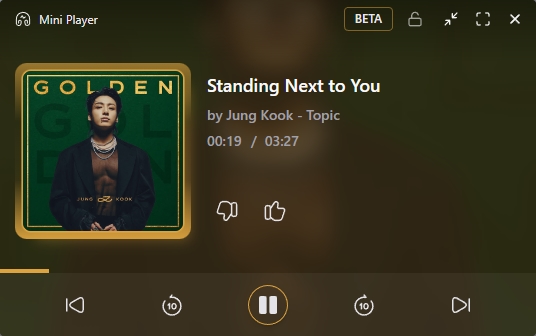
Former setup
- Open the mini player from the app (tray / window controls, depending on your build).
- Keep it above other windows while you work.
- Use transport controls and track info without restoring the main window.
Tips (historical)
- Pair with Discord or Last.fm — those integrations keep running while the mini player is open.
- Collapse back to the full player when you need the queue, lyrics, or library.
- Cover art used the thumbnail cache (
ytmd-thumb://), same as tray view.