
Features
Tray view
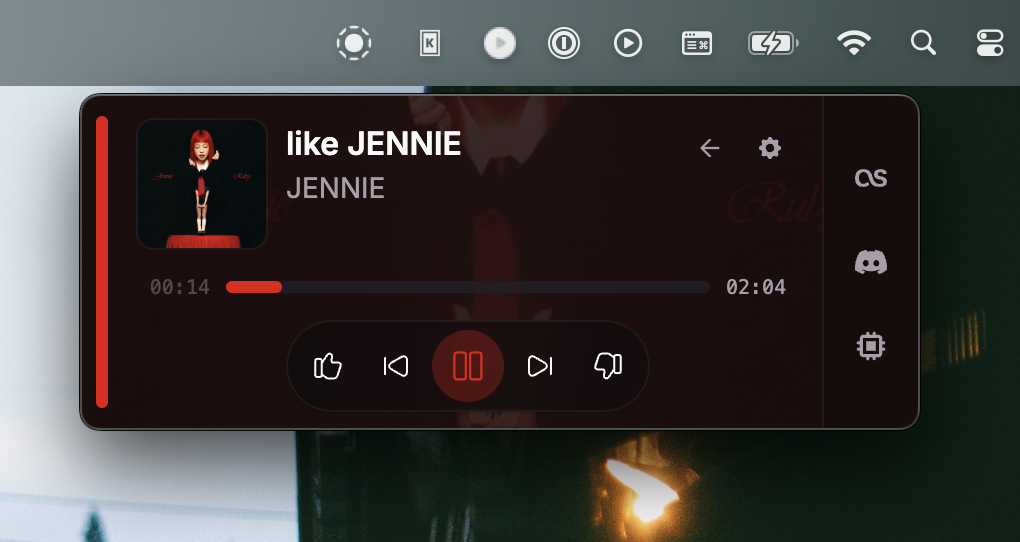
Compact now-playing popup from the system tray
The tray view is a small always-on-top popup anchored to the system tray (or menu bar). Click the tray icon to open it without restoring the main window.
Setup
- Keep the app running in the tray (enable Minimize to tray on close under Settings if you want close → tray).
- Click the YTMDesktop2 tray icon.
- Use transport controls, seek, like/dislike. Hover volume for a scrubber; the queue button is on the same strip.
- Open the queue to grow the popup downward. The player band stays the same size. Queue open/closed is remembered in this browser profile. Scroll the list to load more if YouTube Music appended items; End shows when nothing new arrives. Click a row to play it.
- Hover the popup to show Pin, Back to app, and Settings at the top right. Press Escape / click away to dismiss.
- Use Pin to keep the popup on top. While pinned it stays open after click-away and you can drag it by the colored accent pill. Pin is stored in app settings (
trayView.pinned); position uses the same window-state store as the main window.
The popup positions itself near the tray icon and clamps to the current display work area. On multi-desktop setups it prefers the active desktop when shown. A pinned window keeps its last position instead of snapping back to the tray.
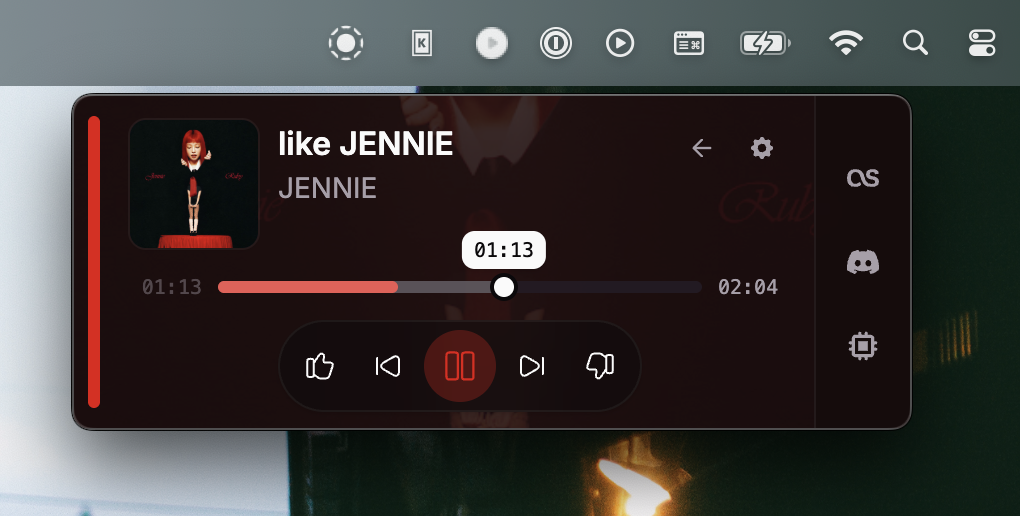
Seek tooltip
Hover or drag the progress thumb to see the exact timestamp in a tooltip while scrubbing.
Tips
- Discord, Last.fm, and the local API are toggled in Settings, not on the tray popup.
- Pair with Minimize to tray on close for a tray-first workflow.
- Tray icon artwork follows platform conventions (including template icons on macOS).
- Hover the window to show Pin, Back to app, and Settings at the top right.
- Pin the popup to move it and keep it above other windows; drag from the accent pill while pinned.
- Album art is served through the thumbnail cache (
ytmd-thumb://). - The former mini player was removed in 1.4.0; tray view replaces it.