
Features
OBS overlays
Now-playing overlays via the local API
Drive OBS (or other) browser sources from the local API so stream overlays stay in sync with playback.
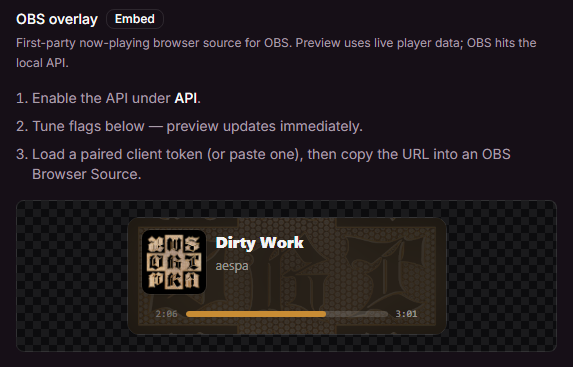
First-party embed
- Enable the API under Settings → API & Integrations → API.
- Open Settings → API & Integrations → OBS.
- Tune layout + flags in the live preview, then Copy OBS URL.
- In OBS: Add → Browser Source → paste the URL (suggested size ~480×140; smaller for badge/ticker; full scene for fullscreen).
Default URL:
http://127.0.0.1:13091/embed/now-playingWhen authentication is on, append a paired client token:
http://127.0.0.1:13091/embed/now-playing?token=<token>(The settings page can load a token from a paired client into the URL.)
Layouts
layout | Description |
|---|---|
default | Full card — art, title, artist, progress (default) |
compact | Smaller card, tighter spacing |
text | Title + artist only (no art/progress) |
badge | Compact horizontal card (same 12px radius as default/ticker) |
fullscreen | Edge-to-edge art with overlay text — size Browser Source to scene |
stack | Vertical poster (art on top) — good for side panels |
ticker | Thin scrolling strip for top/bottom of stream |
Example: ?layout=badge, ?layout=fullscreen, ?layout=ticker.
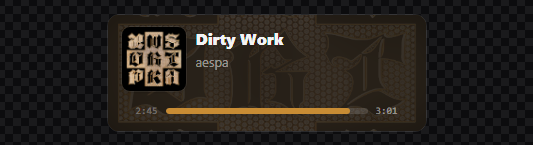
Default
Horizontal card — art, title, artist, progress.
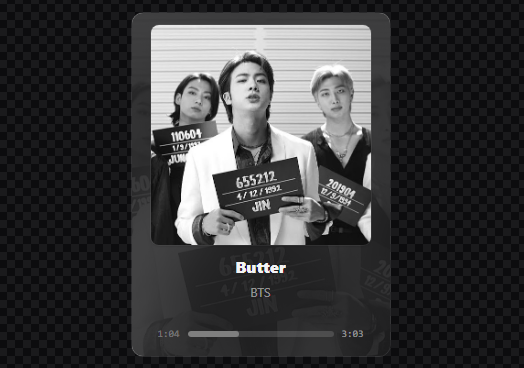
Stack
Vertical poster — large art on top, centered metadata, progress.
Text
Title + artist only — transparent background for minimal lower-thirds.

Query flags
| Param | Default | Description |
|---|---|---|
layout | default | Widget layout (see above) |
art | on | Album art |
title | on | Track title |
artist | on | Artist |
progress | on | Progress bar + times |
transparent | on | Transparent page background (OBS) |
scale | 1 | CSS scale (0.25–4) |
token | — | API token when auth is required |
Set a flag off with 0 / false / off (example: ?art=0&progress=0).
Tips
- Confirm
GET /trackandGET /track/statebefore wiring overlays — see Routes. - First-party embeds load art from
GET /track/thumbnail(thumb-cache), not the YouTube CDN. - WebSocket
/socketpushestrack:changeandtrack:state(progress / play). - Prefer
127.0.0.1and a token when the API is reachable beyond your machine.
Community overlays
You can still point browser sources at custom HTML that reads the API. Community reference: Zyphen's Now Playing.